

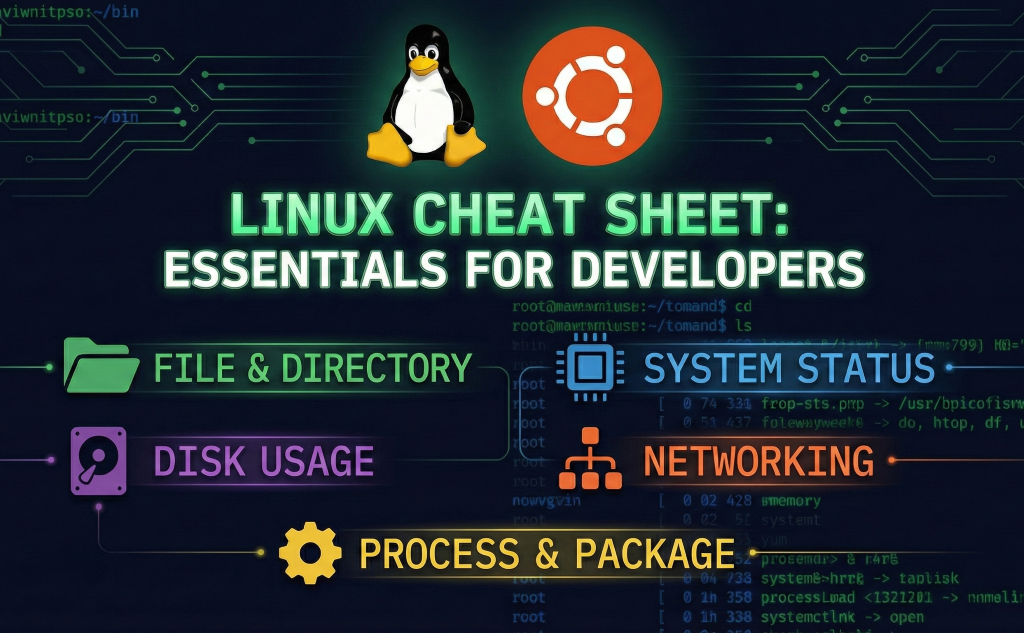

A Practical Guide for DevOps & System Administrators
Learning Linux can feel overwhelming at first — but having the right commands in one place makes a huge difference.
For many beginners, especially those coming from a Windows background, Linux introduces a completely different way of working. Instead of relying heavily on a graphical user interface (GUI), Linux encourages users to interact with the system through the command-line shell. At first, this shift can feel uncomfortable, but once you adapt, it becomes clear why Linux is the backbone of DevOps, cloud computing, and system administration.
This blog is designed to help beginners understand why Linux commands matter, how they simplify daily tasks, and how a well-organized cheat sheet can speed up the learning process.
Why Linux Feels Hard at First (Especially for Windows Users)
Windows users are accustomed to creating folders, editing files, and managing applications using a mouse-driven interface. In Linux, the same tasks are often performed using short, powerful commands.
For example:
- Creating folders via UI vs a single command in the terminal
- Installing software via app stores vs package managers
- Checking system performance via task manager vs shell commands
Initially, this can feel like extra work — but in reality, the Linux shell is faster, more precise, and highly scriptable, making it ideal for servers and automation.
Why the Command Line Is Powerful
Once you become comfortable with Linux commands, you’ll notice several advantages:
- Speed: Tasks that take multiple clicks in a UI can be done in seconds.
- Automation: Commands can be scripted and reused.
- Remote Access: Servers are often managed without a GUI.
- Consistency: The same commands work across environments.
This is exactly why Linux is essential for roles like DevOps Engineer, System Administrator, Cloud Engineer, and SRE.
What This Linux Commands Cheat Sheet Covers
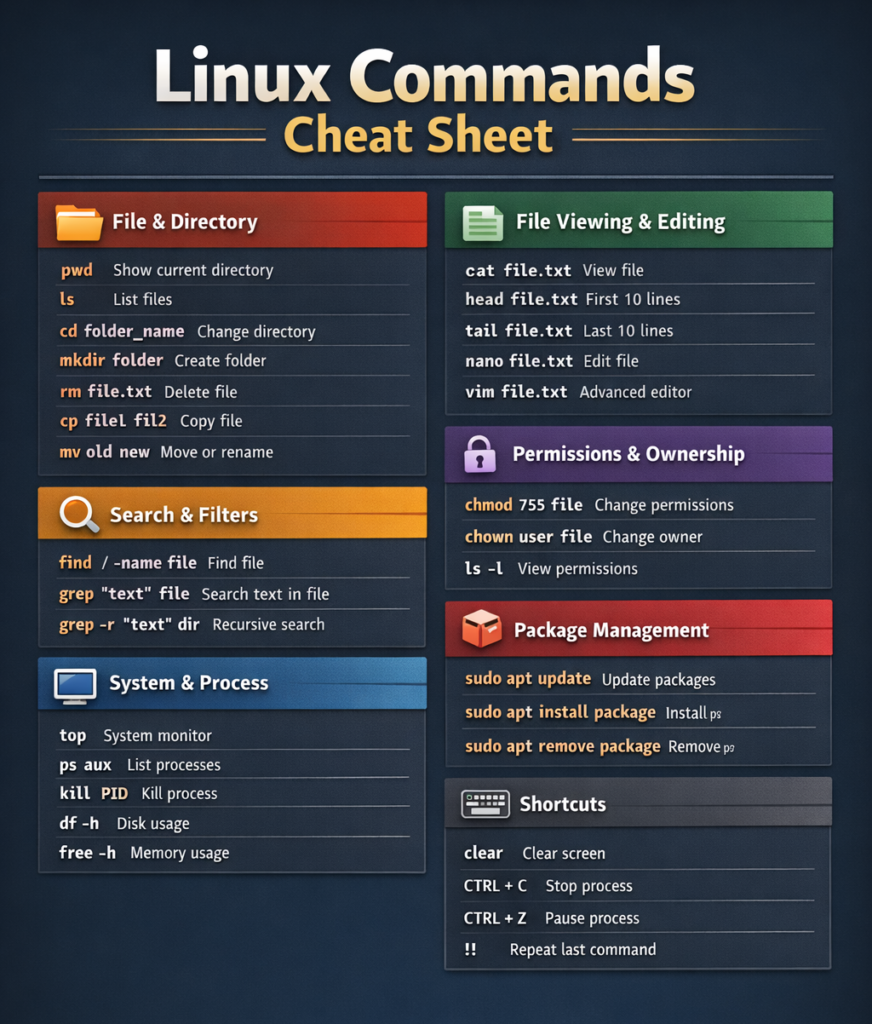
The cheat sheet you’re using (or adding to this blog) brings all the essentials into one place, making it easier to learn and revise.
It includes commands for:
📁 File & Directory Management
Navigate directories, create folders, move files, and manage your filesystem efficiently.
📄 File Editing & Viewing
Edit configuration files, view logs, and inspect files directly from the terminal.
📦 Package Management
Install, update, and remove software using Linux package managers.
🔍 Process & Resource Monitoring
Check running processes, monitor CPU usage, memory, and disk usage.
🌐 Networking Basics
Test connectivity, download files, and inspect network configurations.
These are real-world commands you’ll use daily when working with Linux systems.
How This Cheat Sheet Helps Beginners
Instead of memorizing commands randomly, a cheat sheet allows you to:
- Learn by practice, not memorization
- Quickly look up commands while working
- Build confidence using the terminal
- Reduce dependency on graphical tools
It acts as a bridge between theory and hands-on experience.
Who Should Use This Linux Cheat Sheet?
This resource is ideal for:
- Linux beginners
- DevOps learners
- System administrators
- Cloud engineers
- Students preparing for Linux-based roles
- Anyone transitioning from Windows to Linux
Whether you’re learning Linux for your job or personal growth, this cheat sheet will come in handy again and again.
Final Thoughts
Linux may feel intimidating at the beginning, but with the right resources, it becomes one of the most powerful skills you can have in tech.
Keep this Linux commands cheat sheet close while practicing. The more you use it, the more natural the commands will feel — and before long, working in the terminal will be second nature.





Leave a Comment